No. 02
Conference
Where agendas turn into action.
The Conference Module is designed for structured, theme-based events, making it ideal for corporate, academic, or government use.
Presentations follow a predefined schedule, with each participant taking the floor in turn to present their assigned topic. Materials can be prepared and uploaded in advance for a smooth and organized experience.
At the end of the agenda, the session enters a Free Speech mode, allowing participants to access and review all documents and media across topics for open discussion and reflection.
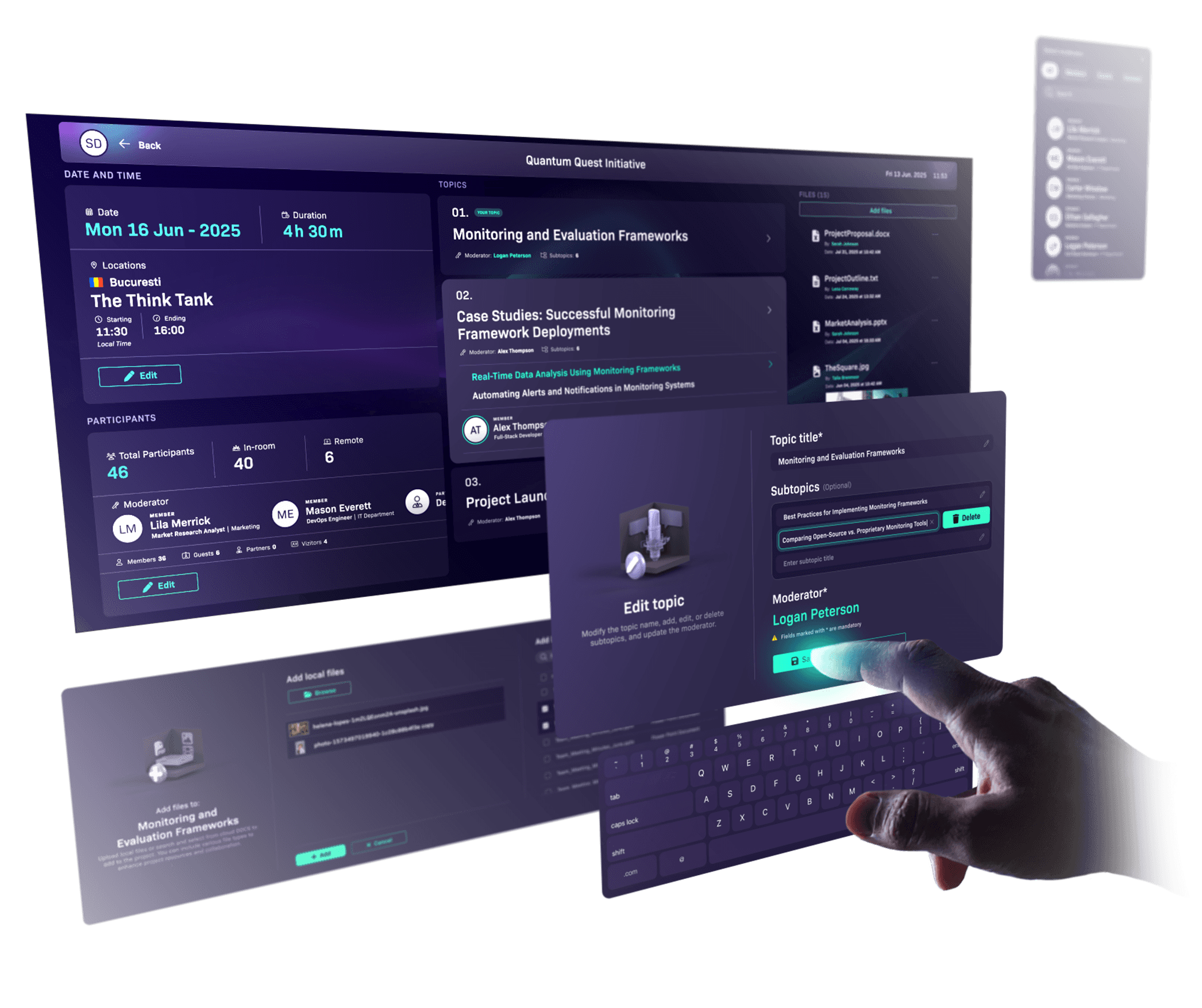
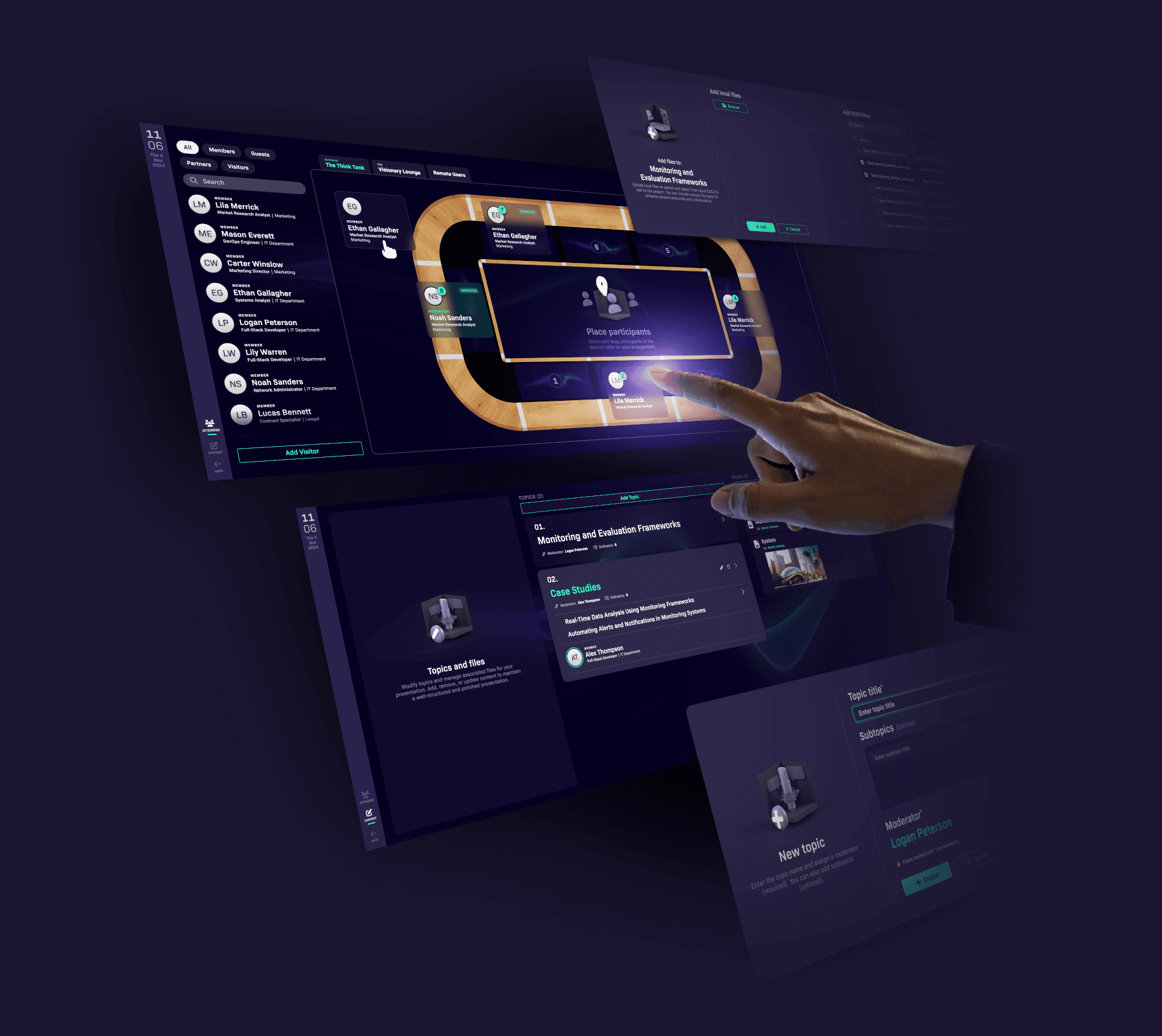
The topic moderator’s workspace
One Source. All Screens.
A strong presentation starts with thoughtful planning.
This dedicated workspace empowers each topic moderator to design their own agenda, structure their content, and upload all supporting materials, documents, images, and videos, ready for seamless delivery during the live session.
From preparation to presentation, every element is in the moderator’s hands.
The presenter’s workspace
The presenter’s workspace
The presenter’s workspace
Where structure meets control.
Presentations begin long before the first slide appears.
This dedicated workspace gives the presenter full control - starting from structured planning, all the way through live delivery.
Where structure meets control.
Presentations begin long before the first slide appears.
This dedicated workspace gives the presenter full control - starting from structured planning, all the way through live delivery.
Where structure meets control.
Presentations begin long before the first slide appears.
This dedicated workspace gives the presenter full control - starting from structured planning, all the way through live delivery.
shield-check
On-Premise Security & Data Control
Whether in the private sector or institutions, data security is critical.Our system is deployed entirely on the client’s local servers, ensuring full control over sensitive information.No cloud dependency — fully compliant with internal policies and data protection standards.
shield-check
On-Premise Security & Data Control
Whether in the private sector or institutions, data security is critical.Our system is deployed entirely on the client’s local servers, ensuring full control over sensitive information.No cloud dependency — fully compliant with internal policies and data protection standards.
shield-check
On-Premise Security & Data Control
Whether in the private sector or institutions, data security is critical.Our system is deployed entirely on the client’s local servers, ensuring full control over sensitive information.No cloud dependency — fully compliant with internal policies and data protection standards.
table-cells-lock
PIN-Protected conference start
An administrator prepares the full agenda and arranges the order of topics ahead of time. The conference officially starts only when the administrator enters a secure 4-digit PIN code, ensuring controlled and timely session launch.
table-cells-lock
PIN-Protected conference start
An administrator prepares the full agenda and arranges the order of topics ahead of time. The conference officially starts only when the administrator enters a secure 4-digit PIN code, ensuring controlled and timely session launch.
table-cells-lock
PIN-Protected conference start
An administrator prepares the full agenda and arranges the order of topics ahead of time. The conference officially starts only when the administrator enters a secure 4-digit PIN code, ensuring controlled and timely session launch.
flag
Personalized welcome screen
Before the conference begins, each display shows a personalized welcome screen featuring the names and countries of the participants. This helps guests easily find their assigned seats and ensures an organized, smooth start to the event.
flag
Personalized welcome screen
Before the conference begins, each display shows a personalized welcome screen featuring the names and countries of the participants. This helps guests easily find their assigned seats and ensures an organized, smooth start to the event.
flag
Personalized welcome screen
Before the conference begins, each display shows a personalized welcome screen featuring the names and countries of the participants. This helps guests easily find their assigned seats and ensures an organized, smooth start to the event.
video
Audio & video support
Presenters are streamed live both locally - for optimal experience in large conference rooms - and remotely on any audio-video device. This ensures clear communication and full engagement for all participants, regardless of their location.
video
Audio & video support
Presenters are streamed live both locally - for optimal experience in large conference rooms - and remotely on any audio-video device. This ensures clear communication and full engagement for all participants, regardless of their location.
video
Audio & video support
Presenters are streamed live both locally - for optimal experience in large conference rooms - and remotely on any audio-video device. This ensures clear communication and full engagement for all participants, regardless of their location.
microphone-stand
microphone-stand
microphone-stand
A smarter way to connect
Present once. Engage everyone. Review together.
This innovative solution transforms the classic conference into a modern, shared experience.
As a presenter, you share documents and media that appear instantly on every participant’s screen,
keeping everyone aligned, engaged, and focused.
Afterwards, participants can revisit and explore the content together,
deepening understanding and collaboration.
Built-in applications
Participants and presenters alike can access them directly from their displays, to highlight key points, take notes, or reference information, without disrupting the flow of the presentation.
Notes
Write. Recognize. Share.
Take notes naturally using a pen or keyboard.
The app recognizes your handwriting and converts it into editable text, making it easy to capture key ideas during meetings or conferences.
When finished, send your notes by email to share important insights with others.

Sketch
Draw. Highlight. Annotate
This sketching application lets you draw freely over your screen, annotate open images, or highlight key points in documents.
Whether you’re explaining, marking up, or visualizing ideas, it gives you the tools to interact directly with what you see.
Smart chat
AI-powered. Private.
Developed specifically for conference use, this intelligent chat platform supports real-time messaging and includes an integrated AI assistant.
All communication is limited to the active session and automatically deleted afterward, maintaining both privacy and focus.
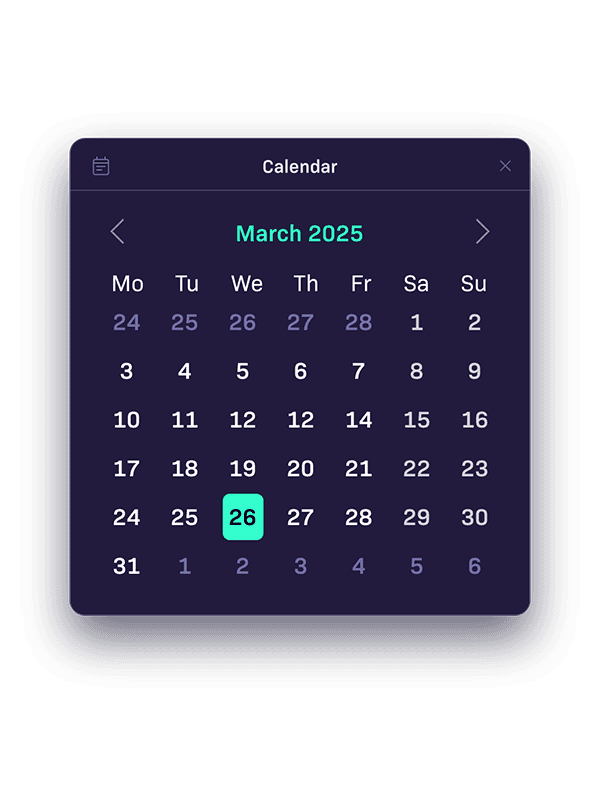
Calendar
Plan. Schedule. Stay Organized
Easily manage your meetings, events, and deadlines in one place.
Whether you’re coordinating a conference or keeping track of your daily agenda, the calendar helps you stay on time and focused.
Currency
Convert. Compare.
Access real-time exchange rates and convert currencies with ease.
Whether you’re traveling, shopping online, or managing international finances, this app helps you stay informed and in control.
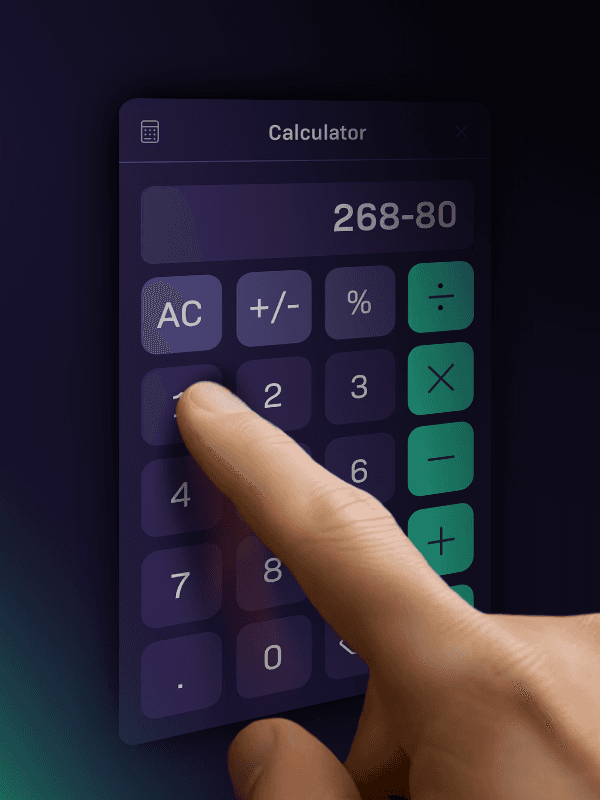
Calculator
Calculate. Solve. Focus.
Need quick calculations during your conference?
Perform fast calculations, solve equations, and keep track of results.
Stay focused and efficient, whether you’re working through problems or collaborating with others.
Sketch
Draw. Highlight. Annotate
This sketching application lets you draw freely over your screen, annotate open images, or highlight key points in documents.
Whether you’re explaining, marking up, or visualizing ideas, it gives you the tools to interact directly with what you see.
Currency
Convert. Compare.
Access real-time exchange rates and convert currencies with ease.
Whether you’re traveling, shopping online, or managing international finances, this app helps you stay informed and in control.
Calendar
Plan. Schedule. Stay Organized
Easily manage your meetings, events, and deadlines in one place.
Whether you’re coordinating a conference or keeping track of your daily agenda, the calendar helps you stay on time and focused.
Smart chat
AI-powered. Private.
Developed specifically for conference use, this intelligent chat platform supports real-time messaging and includes an integrated AI assistant.
All communication is limited to the active session and automatically deleted afterward, maintaining both privacy and focus.
Notes
Write. Recognize. Share.
Take notes naturally using a pen or keyboard.
The app recognizes your handwriting and converts it into editable text, making it easy to capture key ideas during meetings or conferences.
When finished, send your notes by email to share important insights with others.
Calculator
Calculate. Solve. Focus.
Need quick calculations during your conference?
Perform fast calculations, solve equations, and keep track of results.
Stay focused and efficient, whether you’re working through problems or collaborating with others.
Sketch
Draw. Highlight. Annotate
This sketching application lets you draw freely over your screen, annotate open images, or highlight key points in documents.
Whether you’re explaining, marking up, or visualizing ideas, it gives you the tools to interact directly with what you see.
Currency
Convert. Compare.
Access real-time exchange rates and convert currencies with ease.
Whether you’re traveling, shopping online, or managing international finances, this app helps you stay informed and in control.
Calendar
Plan. Schedule. Stay Organized
Easily manage your meetings, events, and deadlines in one place.
Whether you’re coordinating a conference or keeping track of your daily agenda, the calendar helps you stay on time and focused.
Smart chat
AI-powered. Private.
Developed specifically for conference use, this intelligent chat platform supports real-time messaging and includes an integrated AI assistant.
All communication is limited to the active session and automatically deleted afterward, maintaining both privacy and focus.
Notes
Write. Recognize. Share.
Take notes naturally using a pen or keyboard.
The app recognizes your handwriting and converts it into editable text, making it easy to capture key ideas during meetings or conferences.
When finished, send your notes by email to share important insights with others.
Calculator
Calculate. Solve. Focus.
Need quick calculations during your conference?
Perform fast calculations, solve equations, and keep track of results.
Stay focused and efficient, whether you’re working through problems or collaborating with others.